In my other post Platform Encryption - Encryption at Rest, I have talked about how platform encryption works. This is post is related to what are the things to know before activating Shield and what can be proposed solutions.

Use Case
XYZ Company is already using a Production organization for couple of years and now Business wants to encrypt following fields which might contain PII, PHI information like:
Account:
- Name
- Shipping Address (Street, City)
- Other custom fields
Contact
- Name
- Phone
- Mailing Address (Street, City)
- Other custom fields
Case Comment
- Body
Attachment
- Body
Task
- Description
And there could be other Custom objects and fields can be encrypted.
Analyze the impact
We can get Platform Shield license in Developer Edition to play around, but actual impact analysis can only be done on Developer or Partial Copy or Full Copy Sandbox.
Prepare a sandbox
Contact Salesforce for activating Shield in Production, and then refresh the sandbox or without refreshing - from Company Information, click on Match Production Licenses button and wait for a mail to apply production licenses on sandbox.
Prerequisite for encryption
First, Generate Tenant Key in the org.
Go to Setup ➜ Platform Encryption ➜ Key Management

What are the fields can be encrypted?
Refer Salesforce Shield Platform Encryption Implementation Guide for more details.
To encrypt Standard fields, navigate Setup ➜ Platform Encryption ➜ Encryption Policy

And click on Encrypt Fields link to encrypt desired standard fields.

For custom fields, edit the field details.

How newly created records can be encrypted?
If we create a new field and create a record then value will be encrypted with the keys.
How existing records can be encrypted?
If we update an existing record, even if without changing any values from UI and pressing Save button, the values will be encrypted.
By loading .csv file through data loader, existing records can be encrypted.
But, for those updates we will see Last Modified By and Last Modified Date changes.
For mass update (including attachments), contact Salesforce support, who can run the job during off-hours. Beauty of this update is Last Modified By or date are not getting changed.
Secondly, no need to deactivate any triggers, workflows etc to perform this job which runs by Salesforce.
Secondly, no need to deactivate any triggers, workflows etc to perform this job which runs by Salesforce.
How do I know how many records are encrypted and how many are pending to be encrypted?
Encryption Statistics will give the full details.
Setup ➜ Security Controls ➜ Platform Encryption ➜ Encryption Statistics

What will happen if we try to mark the field as encrypted?
Salesforce verifies following areas if it has been used:
- Portals
- Criteria-Based Sharing Rules
- SOQL/SOSL Queries
- Formula Fields
- Skinny Tables
- Microsoft Integration Products
Salesforce sends an email that field cannot be encrypted because of the reasons. Here is an example.

Note:
a. If field has been used in the report filter then marking field as encrypted will automatically remove the filters from the report. Salesforce will not show any error messages.
a. If field has been used in the report filter then marking field as encrypted will automatically remove the filters from the report. Salesforce will not show any error messages.
b. If field has been used in the list view filter then marking field as encrypted will automatically remove the filters from the list view. Salesforce will not show any error messages.
What will happen if we have existing Case comments?
If comment body contains more than 2959 characters then that record cannot be encrypted.
Also, after marking the Case Comments body field as encrypted, if we try to enter more than 2959 character, Salesforce will not allow to save.
Can encrypted fields be used in filters?
Encrypted fields are NOT available in List View filters, Report filters. Though those fields can be used a column to display those values.
Can encrypted fields be used for sorting?
Encrypted fields are NOT sort-able in List view.
Can encrypted field values be searchable by Global search?
Yes, encrypted field values are searchable through global search.
What will we see if reports are exported with encrypted data?
The extracted .csv file will shows the data in a normal way (seems like it is not encrypted).
If we run a SOQL query from Developer Console or in apex code how the encrypted data gets displayed?
The encrypted field data will return normally seems like it is not encrypted.
What could be impacts on integration, lets say from Salesforce a JSON string is passed to third party application or a third party application updating Salesforce?
There is no need for data transformation. Request will show same type of data as if it looks like un-encrypted.
[{
  "ContactID" : "0030j00000BfcpGAAR",
  "Phone" : "9087654567",
  "MiddleName" : null,
  "LastName" : "Boral",
  "FirstName" : "Santanu",
  "Fax" : null,
  "Email" : "san.boral@xyz.com"
}]
What could be impacts on data migration if we import the data into Salesforce?
There should not be any changes to be made in the .csv and there should not be any delay due to encrypting data (minor unnoticeable lag but it's okay).
What could be the impacts if existing managed package is already having SOQL WHERE clause with LIKE operator on Account Name which we are trying to encrypt?
Until and unless that managed package code is rectified, Account Name cannot be encrypted.
Also, it is recommended to managed packaged developer that they handle this kind of scenario, so that target organisation can perform encryption in future.
How Task's description can be encrypted?
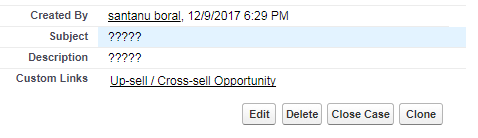
This part is interesting. Till today (Spring 18 release), Salesforce doesn't allow Task records to be encrypted. So, if we have existing task description records then, we need to create custom object and create a custom description field (refer picture of Comment field) and store the records during creation and updating of Task.
Any changes on Platform Encryption at Spring 18 release?
Salesforce comes with filtering Encrypted Data with Deterministic Encryption (Beta) .
Deterministic encryption supports WHERE clauses in SOQL queries and is compatible with unique and external ID fields and custom indexes.
For example, you might run a SOQL query in custom Apex code against the Contact object, where LastName = 'Smith'. If the LastName field is encrypted with probabilistic encryption, you can’t run the query. Deterministic encryption addresses this problem.
For more information, refer Filter Encrypted Data with Deterministic Encryption (Beta)
Further Reading
Platform Encryption - Encryption at Rest
References
Salesforce Shield Platform Encryption Implementation Guide